 Documentation
Bedrock
Our Game Tunnel solution is fully compatible with Bedrock Edition servers, either natively or via a packet translator such as GeyserMC.
Configuring a Bedrock Upstream
The process to setup a Bedrock upstream is the same as a Java one, but you have to enable the Bedrock option when creating the upstream. After enabling the option, the modal will ask you for the following additional options:
| Field | Description | Required | Default |
|---|---|---|---|
| Dedicated Port | Whether to use dedicated port or not. Refer to Dedicated Port section for more info. | ||
| Preferred Region | Which location to deploy the tunnel. Refer to Preferred Region section for more info. | Anycast |
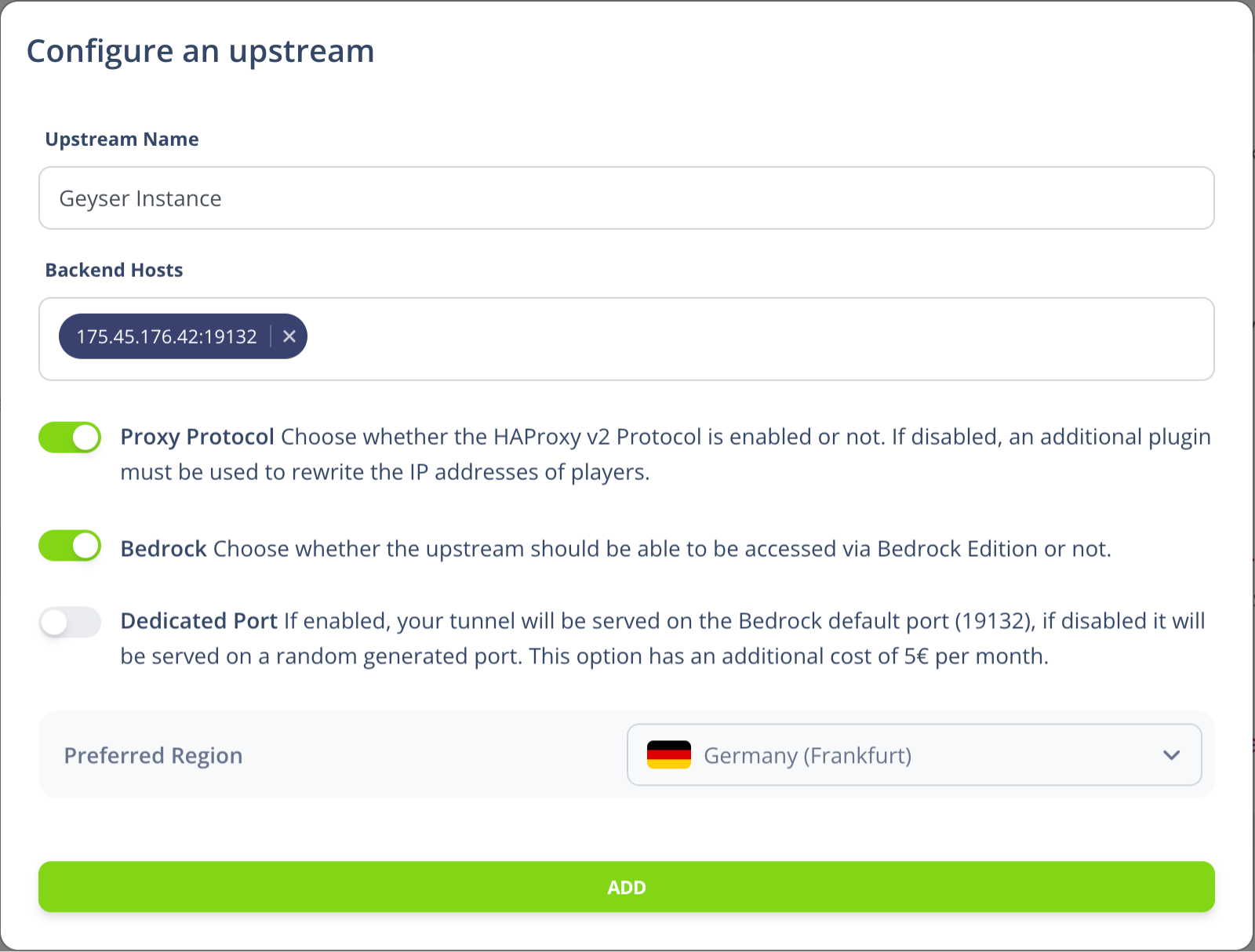
Dedicated Port
Because of the bedrock protocol's nature, every bedrock server must be deployed on a specific ip:port pair. Due to this limitation, we allocate a random port to each bedrock upstream by default.
However, if you enable the Dedicated Port option, you can get a dedicated default port (19132/udp) for any upstream by paying an additional fee of 5€ per month.

Preferred Region
Unlike Java, for bedrock upstreams we allow you to select the location where the tunnel will be deployed.
By default, if no region is selected, the tunnel will be deployed in Canada (Quebec).
Configuring a Bedrock Virtual Host
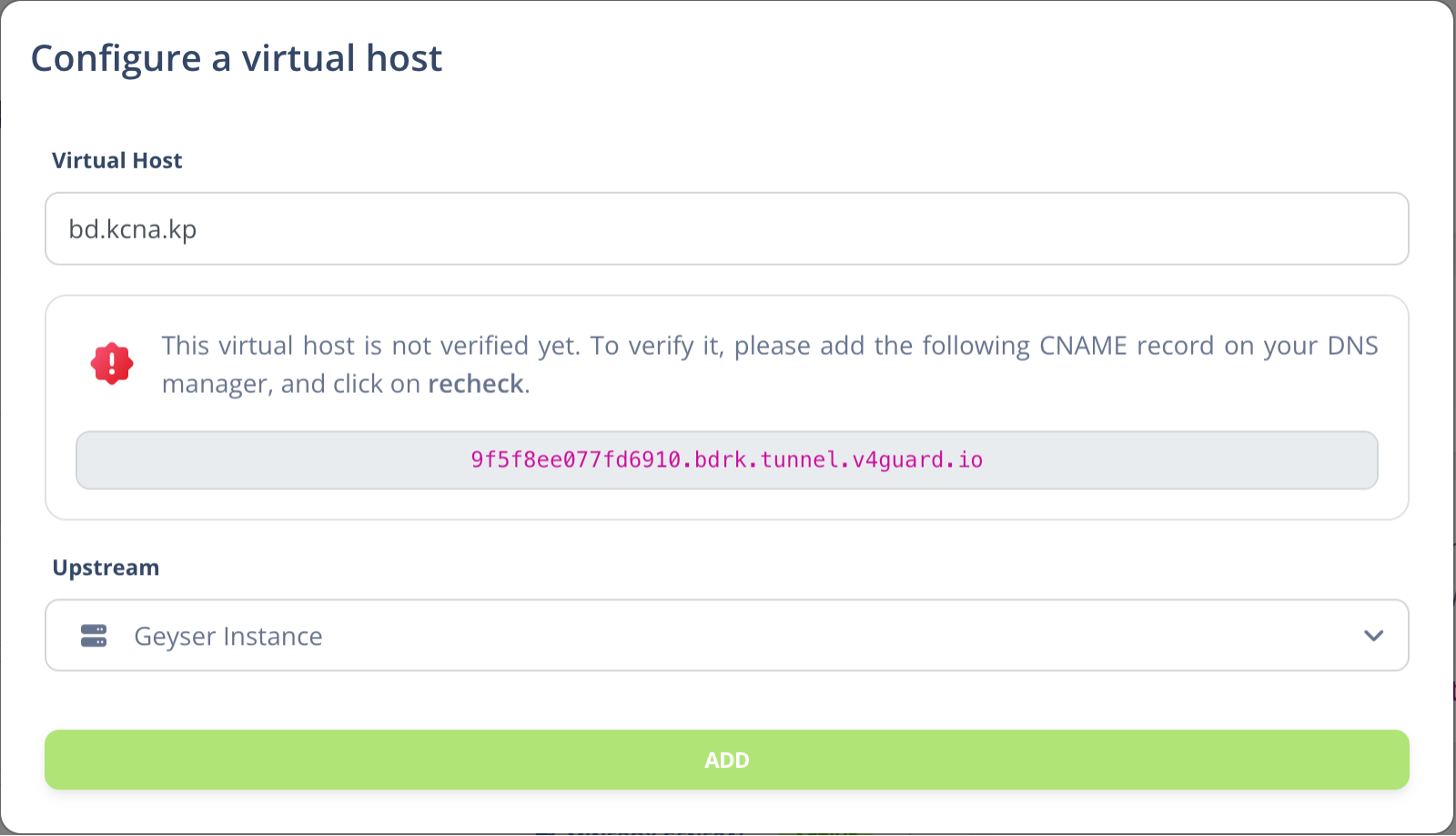
Setting up a Bedrock virtual host involves a bit different process, as the bedrock tunnel must be deployed to an specific IP address and port. You just simply generate a new virtual host (same as Java), choose the bedrock upstream, and then you'll be required to add a custom CNAME for that upstream.

How is this guide?